Getting Started with Acti Keyboard: Your First Steps

Hi there, I'm Nishu! 👋
First of all, welcome to the Acti community! In this guide, I'll walk you through everything you need to get started with Acti. And believe me, you've made a great decision. You won't regret switching to Acti. (Hehe, a little self-promotion never hurts.)
Anyway, let's get your keyboard ready!
1. Download the Acti App
The first step is pretty obvious: you need to install Acti!
Acti is available on both Android and iOS, so you can get started regardless of which phone you use. We also have Acti for Mac and Windows, which is currently available to Pro users.
You can download Acti from the links below:
- Android & iOS: Download Acti
- Mac & Windows: Download Acti for Desktop
Once you've installed Acti, let's move on to setting it up.
2. Set Up the Required Permissions
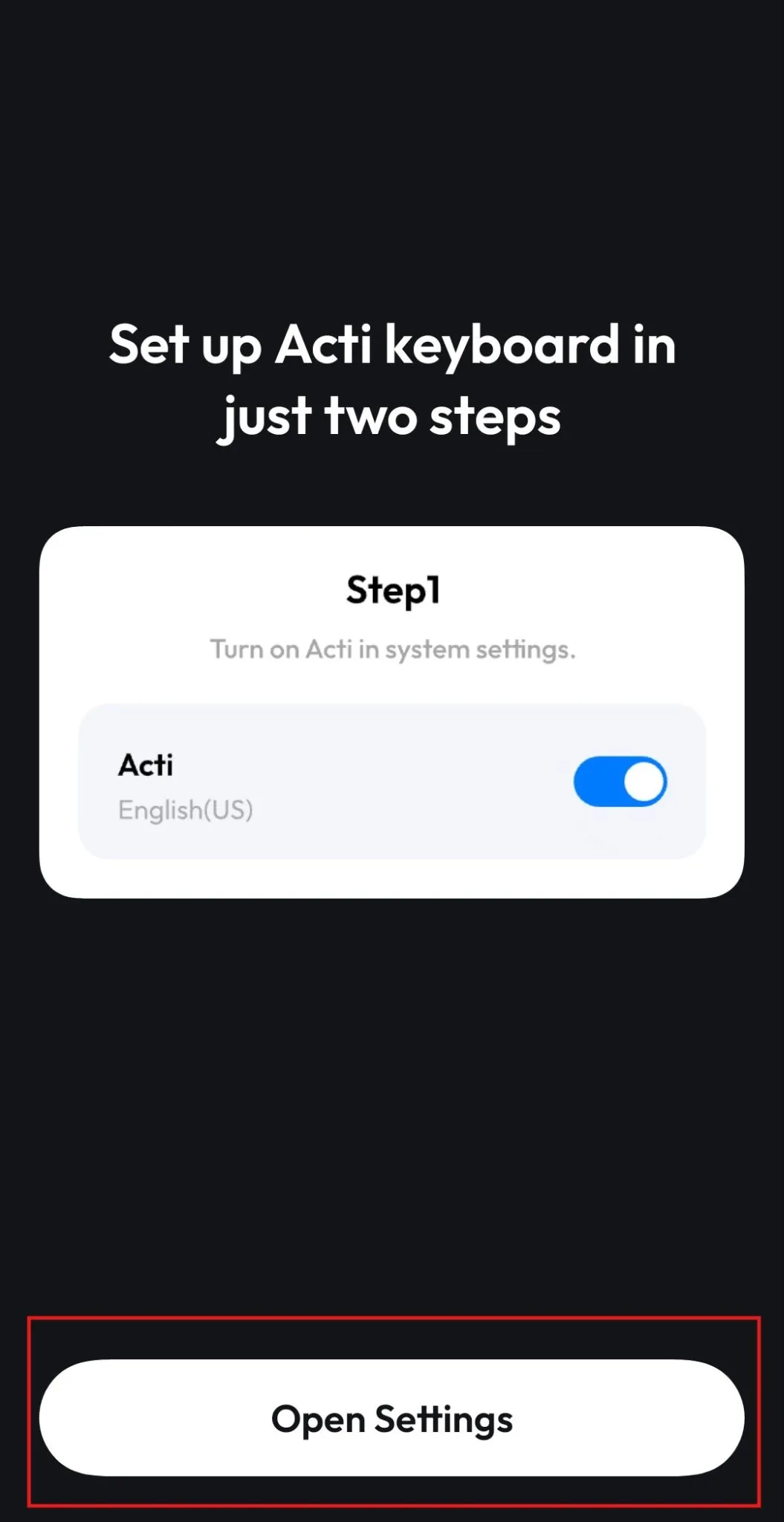
Now that you've installed Acti, open the app. You'll be guided through a few setup steps to enable the keyboard on your device.
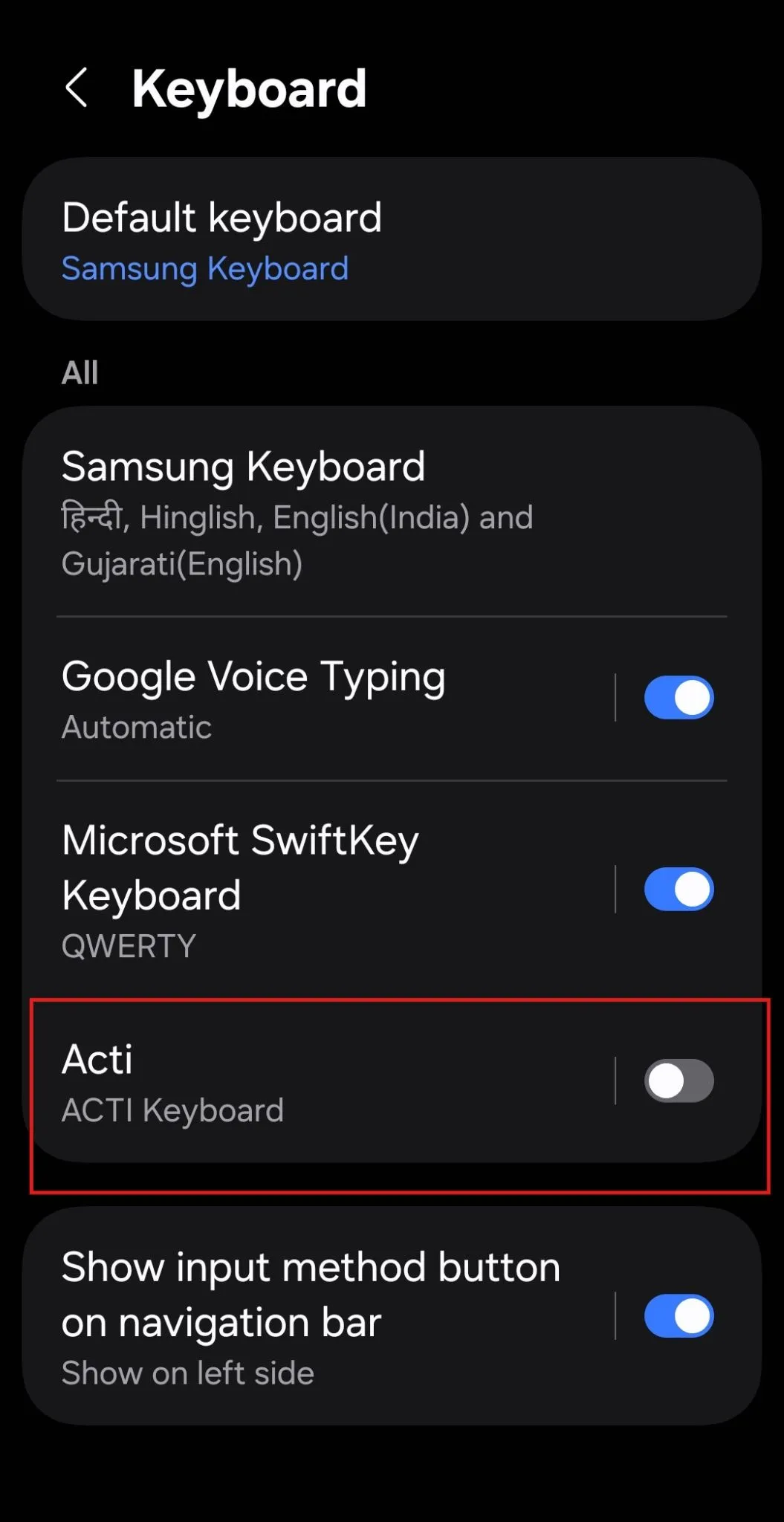
If you're on Android, the app will prompt you to open your device settings. From there, you'll need to enable Acti in your keyboard or input method settings.
You might see a warning when enabling Acti. Don't panic! Android displays this type of warning when you enable a third-party keyboard because keyboards can potentially access what you type.
Once you've enabled Acti, head back to the app. You'll then be prompted to select Acti as your default keyboard.
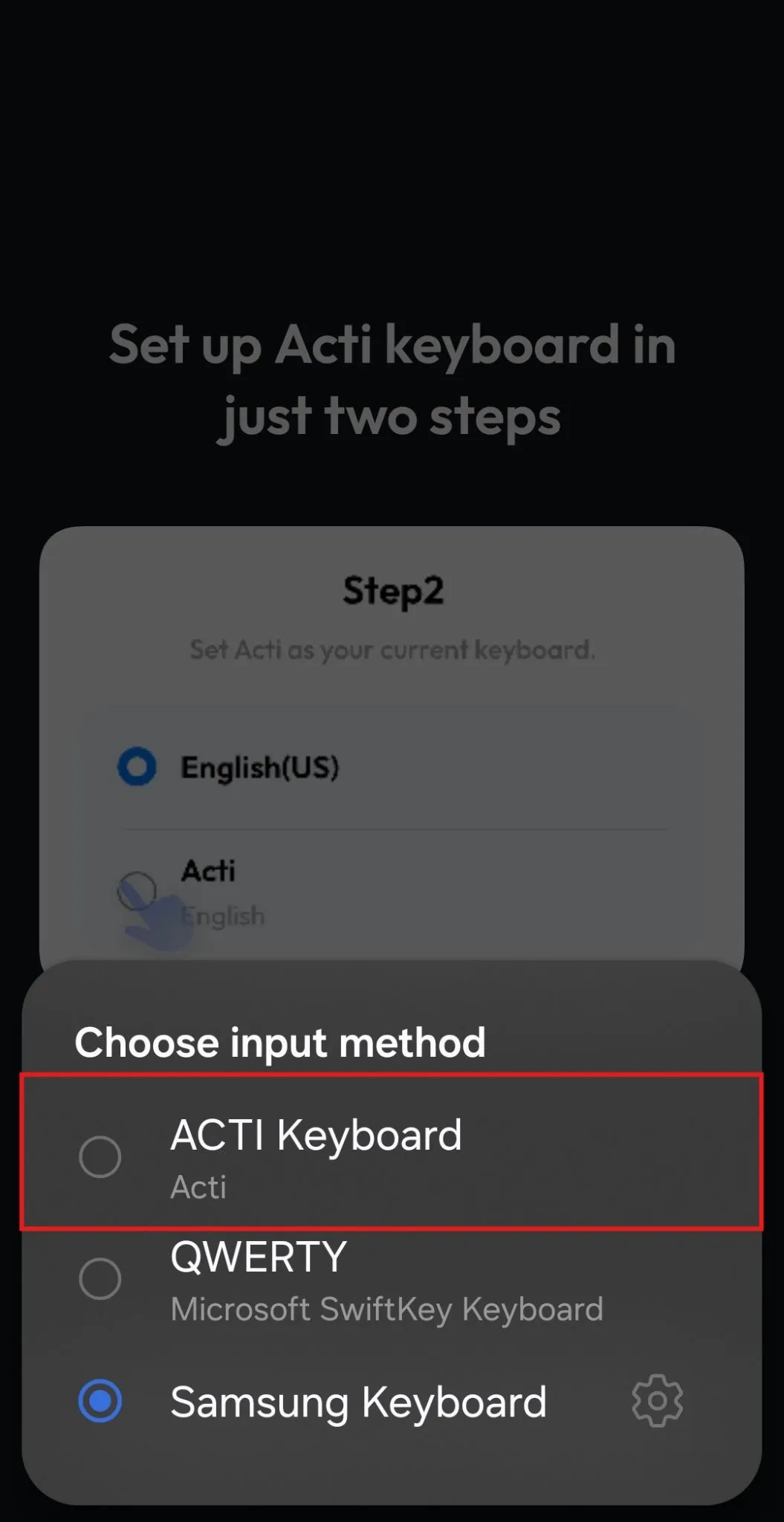
And that's it! Your keyboard should now be ready to use.
If you're using an iPhone, the setup screens will look a little different. Follow the instructions inside the Acti app to enable the keyboard through iOS Settings.
3. You're Almost There!
If you've followed the steps so far, congratulations! You're about 90% of the way to upgrading your typing experience.
But before you start exploring everything Acti has to offer, there's one more thing worth knowing.
Acti isn't just about AI features. You can use it as your everyday keyboard for regular typing, completely free.
You'll also get 10 free credits every day for AI actions. These credits are used when you access AI-powered features, while regular keyboard typing doesn't require any credits.
Make sure to log in to your Acti account so you can start exploring these features.
And don't worry about learning everything right away. There are quite a few things you can do with Acti, and we'll explore them one by one.
4. What's Next? Let's Talk About Acti Voice!
Now that your keyboard is up and running, it's time to explore one of my favorite Acti features: Acti Voice.
Typing is great, but sometimes speaking is just easier. Whether you're writing a long message, getting your thoughts down quickly, or using voice commands, Acti Voice can make the experience much more convenient.
I think this is one of the features that can instantly upgrade how you use your keyboard.
Rather than cramming everything into this guide, I've put together a separate article explaining how Acti Voice works and how you can get the most out of it.
Read next: Getting Started with Acti Voice
And that's it for now! Welcome once again to the Acti community. I hope you enjoy using Acti as much as we enjoy building it.
If you ever have questions, suggestions, or just want to share your experience, feel free to join us on Discord. We're always happy to hear from you!